One hub. Every channel.

Social media,
under control.

Plan, publish and manage every channel from one workspace.

For individuals, creators & small businesses.

An American companyAlexandria, Virginia
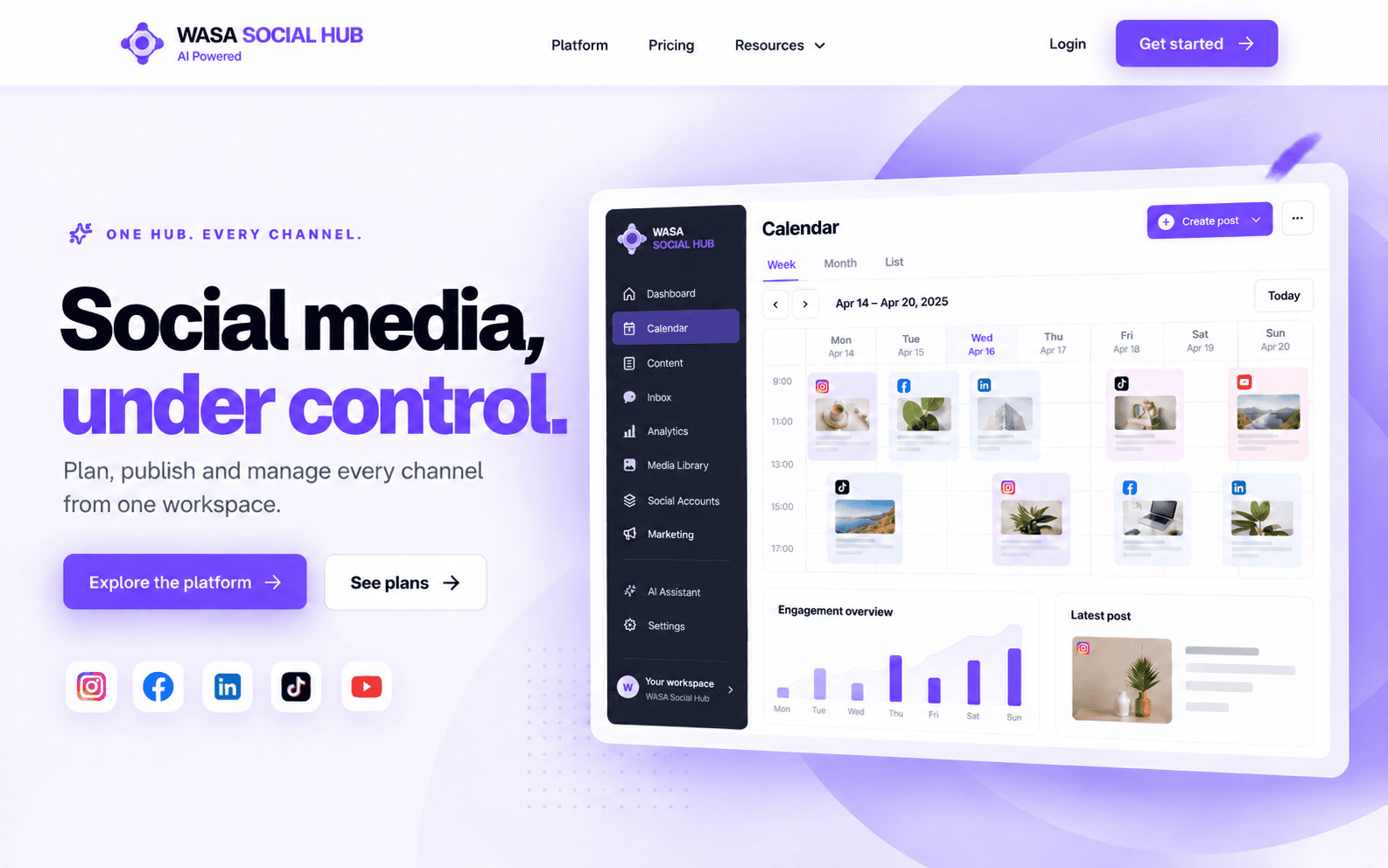
Illustrative WASA Social Hub calendar dashboard from the supplied design, showing a Marketing menu, sample scheduled posts and engagement charts
Illustrative dashboard · Sample content and metrics. Available tools depend on your package.

Made to fit the way you work

PublishingPlanningAnalyticsInbox & commentsMobile
YOUR CONNECTED APPS

Your channels.
One connected hub.

Bring your social presence and supported customer conversations together, from your next post to your business messages.

See how it works

Connect accounts you own or manage. Actions vary by service and account type. Telegram requires its integration; WhatsApp requires business setup and separate subscription and usage charges.

  • FacebookSupported network
  • InstagramSupported network
  • ThreadsSupported network
  • Google Business ProfileSupported network
  • LinkedInSupported network
  • TikTokSupported network
  • YouTubeSupported network
  • PinterestSupported network
  • BlueskySupported network
  • TelegramMessaging integration
  • WhatsAppBusiness messaging
How it works

Your workflow, tools and team.
All connected.

See how to get started, explore what’s inside, and find the fit for the way you work.

From first connection to daily flow

Four steps.
Less switching.

Keep social planning simple, with your content and conversations close at hand.

WWASA Social HubWorkspace preview
Marketing / Social Planner

Connect your first account.

Choose a supported account you own or manage.

Customer-owned connections.
One place to prepare your social work.
Illustrative view. Supported features and account types vary by network.

Find your starting point. Start with Social Hub, add Growth, or get all three modules with Complete Hub.

Compare packages
Introductory prices · USD

Choose the tools you need.

Three tiers that grow with you. Each higher tier includes everything below it. No separate platform access fee.

Save two months

Monthly subscriptions are billed each month. Save the equivalent of two months with annual billing.

Want to try it first? Choose the optional 14-day free trial at checkout, or leave the trial switch off to pay now. Paid usage and add-ons are separate.

Social Hub

Post, reply & stay organized in one place.

14-day free trial available
$14/month

Billed monthly · $140/year upfront

Explore Social Hub Start Social Hub
Included
  • Unlimited users
  • Free video downloader
  • Social publishing and calendar
  • Supported inbox and comments
  • Brand, media and reputation tools
  • LeadConnector mobile app access
Full package tools

Social Planner, supported comments, inbox, basic contacts, media, brand tools and reputation.

Save $28/year compared with 12 monthly payments.

Social + Growth

Capture leads. Follow up. Close sales.

14-day free trial available
$29/month

Billed monthly · $290/year upfront

Explore Social + Growth Start Social + Growth
Included
  • Unlimited users
  • Free video downloader
  • Everything in Social Hub
  • CRM, contacts and sales pipelines
  • Booking, campaigns and automation
  • Forms, documents and payments
  • LeadConnector mobile app access
Full package tools

Everything in Social Hub, plus CRM, pipelines, calendars, campaigns, automation, lead forms, surveys, documents and payments.

Save $58/year compared with 12 monthly payments.

Complete Hub

Build your website and sell online.

14-day free trial available
$39/month

Billed monthly · $390/year upfront

Explore Complete Hub Start Complete Hub
Included
  • Unlimited users
  • Free video downloader
  • Everything in Social + Growth
  • Websites, blogs, funnels and stores
  • Forms, chat and domain connection
  • Analytics and commerce tools
  • LeadConnector mobile app access
Full package tools

Everything in Social + Growth, plus websites, blogs, funnels, stores, domains, forms, chat, analytics and commerce tools.

Save $78/year compared with 12 monthly payments.

The details, made simple

Know what comes with your hub.

Billing, included access and your next steps — all in one place.

Clear billing

Billing notes. Annual subscriptions are charged upfront once per year. All prices are introductory USD prices. No expiry date is specified.

AI & usage

Optional AI add-ons available. AI is not included in core prices. WASA covers LC Email sending costs with no separate email usage bill. Provider sending limits, sender verification and consent requirements still apply. SMS, phone numbers, calling and other enabled paid services are billed separately. Advertising reports do not include advertising spend or campaign management.

Mobile & connected services

Standard LeadConnector mobile access is included with every tier, with no additional mobile subscription fee. Domain connection is a capability; registration, premium hosting, paid templates and third-party services are separate.

Your workspace, ready to set up

New workspace checkout. Use these links to start a new workspace. After completing checkout, follow the secure account invitation sent to your checkout email; check Junk if needed. Existing customers must change their current plan in Settings → Billing instead of making another purchase. Connect your own services and confirm your timezone during setup.

Your subscription, your control

Cancellation, access & your data

Manage your plan from Settings → Billing in your workspace. The paid-period guidance below differs from trial cancellation: review trial cancellation terms before confirming.

Cancel future renewal Access through your paid period Change your existing plan
Cancellation & resuming access

Cancel your subscription from Settings → Billing in your workspace. A confirmed cancellation stops the next renewal. You keep access until the end of your current paid billing period, whether you pay monthly or annually. Check Billing for your exact access end date and cancellation status.

Before the scheduled cancellation takes effect, you can use Resume Subscription in Billing to cancel that request and continue your subscription. Resuming restores future renewals at the applicable subscription price.

Cancelling stops future renewals and does not issue a refund. Review the amount and effective date shown before confirming a plan change.

Changing your package

Use Settings → Billing → Modify subscription to upgrade or downgrade your existing plan. Keep the same workspace and account. A monthly upgrade can charge a prorated amount for the remaining paid period, with credit for unused time on the previous plan. Your invoice shows the actual adjustment; the new recurring price applies at renewal. Annual billing changes can behave differently. Review the billing interval and any amount shown before confirming.

A scheduled downgrade takes effect at the next billing cycle shown in Billing. Tools removed from your plan become unavailable then. Export anything you need beforehand; downgrading is a plan change, while cancellation ends the subscription.

Some records may be retained for legal, billing, security or backup purposes as described in our Privacy Policy. This does not guarantee that your workspace can be restored.

Your workspace, anywhere

WASA Social Hub.
On the go.

LeadConnector

Search this name in your app store.

Download on the App StoreGet it on Google Play
  1. 1Download
  2. 2Sign in
  3. 3Get started

Powered by LeadConnector. Mobile access is included with every plan, with no additional mobile subscription fee. Some tools require the web dashboard. Open web dashboard

Illustrative app views · Available tools can differ from web.
Mobile access & setup details

Complete your secure account invitation first, then sign in with your WASA Social Hub email and password. Your package, permissions, connected services and app version determine which tools are available.

Mobile access is powered by LeadConnector. Look for LeadConnector in your app store; this is not a separate WASA-owned or WASA-named app. Use the web dashboard for setup and tools unavailable on your phone.

Optional AI add-ons

Extend your hub with AI tools.

Choose optional AI capabilities for the way you create content and serve customers. These add-ons are separate from package pricing.

Content AIExplore caption and marketing-copy assistance for Social work.

Optional AI add-on. Review drafts before publishing; core prices do not include paid AI usage.

Captions and marketing copy
Reviews AIExplore assistance with review responses.

Billing and permissions differ from Social Planner. Paid purchases remain disabled until configuration is reviewed.

Review responses
Conversation AIExplore supported customer conversations, lead qualification and booking assistance.

Growth option requiring configured channels, appropriate consent and separate billing approval.

Conversations and appointments
Funnels AIExplore supported website and funnel content tools.

Feature availability, permissions and provider billing must be checked individually.

Website and funnel assistance
Advanced AIExplore Agent Studio, AI Studio and Ask AI.

These tools have different billing models. No retail price or allowance is included in core packages.

Agent Studio · AI Studio · Ask AI
Voice AIA future optional calling offer.

Not activated at launch. Phone numbers, calling and AI charges are separate.

Future optional offer

Optional AI add-ons available. AI is not included in core prices. Paid purchases are not enabled yet. Review important content before sending or publishing.

Explore setup & help

Find your WASA Social Hub package.

Try your core package with an optional 14-day free trial, or choose to pay now. Review the billing terms before checkout.

Compare packages